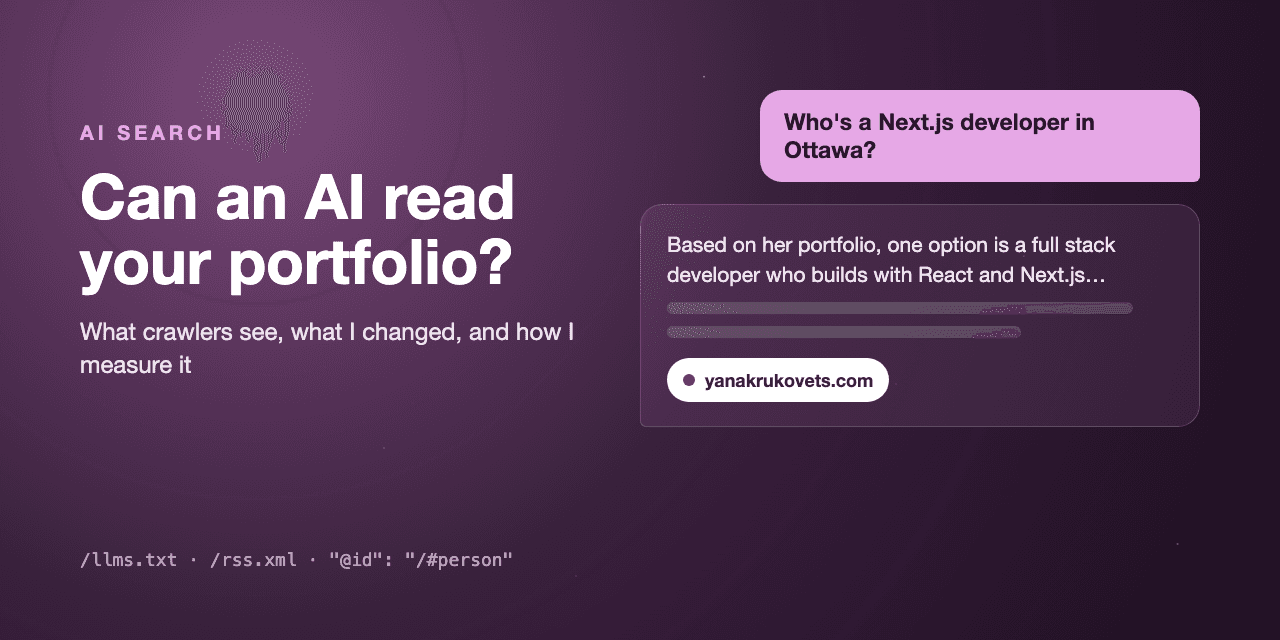
Who Reads Your Site Now
Each assistant has its own crawler. OpenAI runs GPTBot for training and OAI-SearchBot for ChatGPT search. Anthropic has ClaudeBot, Perplexity has PerplexityBot, and all of them also send separate user agents when a person asks the assistant to open a specific page.
The detail that matters for a React developer: these crawlers read the HTML your server sends and don't run your JavaScript. Google renders pages for its normal index, and its AI Overviews pull from that index, so Google sees more. Everyone else sees what curl sees.
The other thing worth knowing is that ChatGPT search leans on Bing's index. If your site is invisible in Bing, it's harder for ChatGPT to find, whatever your Google rankings look like.
The Audit: Fetching My Own Site as GPTBot
I ran the audit with Claude Code. The core of it is one request with a crawler user agent, then stripping the tags to see the plain text:
curl -A "GPTBot/1.2" https://www.yanakrukovets.com/ -o home.htmlThe good news first. My portfolio uses the Next.js Pages Router, so pages are rendered on the server and the text is all there: about 600 words on the homepage and more than 2,000 on a typical blog post. robots.txt allows every crawler, the sitemap lists every post, and canonical URLs were already correct from my first round of Next.js SEO work.
Then the problems.
A heading that said “I am a |”
My hero has a typewriter effect that cycles through roles: Frontend Developer, Full Stack Developer, and so on. The hook started with an empty string and typed the first word in after the page loaded. In the server HTML, the second-most important heading on my homepage read “I am a |”. The cursor was the only content.
The fix was one line. Start on the full first word:
// before
const [displayed, setDisplayed] = useState("");

// after: server-rendered HTML now contains a real role
const [displayed, setDisplayed] = useState(words?.[0] ?? "");
The animation looks the same to visitors. It pauses on the first word, deletes it, and carries on.
24 project cards with no names
This one was worse. My projects page has 6 personal projects and 18 client sites. Each card showed a screenshot, a “Personal Project” label, a year, and a tech list. The project's name only existed inside the screenshot. To a crawler, a card read like this:
VIEW Personal Project 2026 An AI safety research project simulating
reward tampering in RL... Technologies: Python, Gymnasium...
No name anywhere. The client cards were thinner still: no description at all, and alt text like “WordPress WordPress website” and “Canada website, developer”, which described neither the image nor the project.
An assistant asked “what has she built?” had nothing to answer with. So every project now has a name rendered as a real heading, a one-sentence description, and alt text that describes the screenshot. I also moved the project data out of the component into lib/projects.js, because three different things now read it: the cards, the structured data, and llms.txt.
One Person, One @id
I already had JSON-LD. The layout emitted a Person block with my name, job title, location and social links, and every blog post had a BlogPosting with an author. The trouble was that these were 19 separate people as far as a machine could tell. Each post declared its own anonymous Person who happened to share my name.
Schema.org has a fix for that: give the entity a stable @id and point at it everywhere else. The layout now emits a small graph:
{
  "@context": "https://schema.org",
  "@graph": [
    {
      "@type": "Person",
      "@id": "https://www.yanakrukovets.com/#person",
      "name": "Yana Krukovets",
      "jobTitle": ["Full Stack Developer", "Frontend Developer"],
      "sameAs": ["https://github.com/YanaKrukovets", "https://www.linkedin.com/in/..."]
    },
    {
      "@type": "WebSite",
      "@id": "https://www.yanakrukovets.com/#website",
      "publisher": { "@id": "https://www.yanakrukovets.com/#person" }
    }
  ]
}
And every post's author points at the same node:
author: { "@type": "Person", "@id": `${SITE_URL}/#person`, name: "Yana Krukovets", url: SITE_URL },On top of that, the homepage is marked as a ProfilePage with me as its main entity, the blog index lists every post as a Blog, and the projects page has an ItemList of every project. Personal projects name me as creator. Client sites name me as contributor, because I built them with a team and the schema shouldn't claim more than that.
A caveat on expectations: structured data doesn't make an assistant cite you. It removes ambiguity. When the facts are explicit and linked, the model has less to guess about.
llms.txt and RSS
llms.txt is a proposed convention: a Markdown file at the root of a site that tells a language model what the site is and where the important pages are. Mine has a one-paragraph summary of who I am, then lists of pages, projects, and every blog post with its description.
I want to be straight about this one. Google has said it doesn't use llms.txt, and I haven't seen good evidence that the other big assistants read it. I added it anyway because it cost almost nothing. Both it and a new RSS feed are generated on request from the same data files that drive the site, so I never have to update them by hand:
// pages/llms.txt.js
export async function getServerSideProps({ res }) {
  res.setHeader("Content-Type", "text/plain; charset=utf-8");
  res.setHeader("Cache-Control", "public, s-maxage=3600, stale-while-revalidate=86400");
  res.write(buildLlmsTxt()); // built from lib/blogPosts.js and lib/projects.js
  res.end();
  return { props: {} };
}
The RSS feed at /rss.xml has a clearer payoff. Feed readers and aggregators pick up new posts from it, and a <link rel="alternate"> tag in the page head lets anything that understands feeds discover it.
Measuring Visits From AI Assistants
None of this matters if I can't see whether it works. My site already has its own cookieless analytics, stored in Supabase, so I added a traffic-source breakdown with a dedicated channel for AI assistants.
There are two signals. Some assistants send a normal referrer, like perplexity.ai or claude.ai. Others strip the referrer but tag the links they cite: ChatGPT adds ?utm_source=chatgpt.com. The tracker reads only that one parameter from the landing URL:
function utmSource() {
  try {
    return new URLSearchParams(window.location.search).get("utm_source") || null;
  } catch {
    return null;
  }
}
On the server, a small classifier sorts each session into direct, search, AI, social, or referral, and names the assistant when it can. One ordering detail caught me: gemini.google.com matches Google too, so the AI check has to run before the search-engine check, or Gemini visits get counted as Google searches.
The dashboard now has a Sources tab with sessions per channel and per assistant, and the numbers feed into the AI-written suggestions the dashboard already generates.
The Parts That Aren't Code
Bing Webmaster Tools. Since ChatGPT search draws on Bing, the site needs to be verified there with the sitemap submitted, the same routine as Google Search Console. It's ten minutes of setup that a lot of developers skip because Bing feels irrelevant.
Consistent facts everywhere. An assistant deciding whether my LinkedIn profile, my GitHub account, and this site describe the same person compares the facts. Same name, same title, same city, same stack: strong signal. “Frontend developer in Toronto” on one and “full stack developer in Ottawa” on another, and it has to pick one or hedge. Making the core facts match across all three is next on my list.
Writing that can be quoted. Assistants lift direct answers. A question heading followed by a two-sentence answer gets used. A paragraph that warms up for four sentences before saying anything doesn't. That's also why every post here ends with an FAQ, marked up with FAQPage schema that matches the visible text word for word.
What I'd Check First on Any Site
If you only have an hour, fetch your homepage and your most important page with curl and read the text. Look for headings that are empty, names that only exist in images, and content that loads after the page does. That one check found the two biggest problems on my site, and both fixes were small.
It's too early for me to show results. The Sources tab will tell me over the next couple of months whether assistants start sending people here, and I'll know which of these changes earned their place.
Frequently Asked Questions
Do AI crawlers like GPTBot and ClaudeBot run JavaScript?
Generally no. The crawlers behind ChatGPT, Claude, and Perplexity read the HTML your server sends and don't execute your scripts, so anything rendered only on the client is invisible to them. Google is the exception because it renders pages for its regular index, and AI Overviews draw on that index. The safe assumption is that if text isn't in the server-rendered HTML, an AI assistant can't quote it.
Do I need an llms.txt file?
It's optional. llms.txt is a proposed convention: a Markdown file at the root of your site that summarizes it for language models. Google has said it doesn't use it, and there's little public evidence that the other big assistants read it either. I added one because it's generated from data I already had and cost almost nothing to build, but I'd do every other fix in this post first.
Is AI search optimization different from regular SEO?
Mostly it's the same work with less tolerance for shortcuts. Google's AI features use its normal search index, and ChatGPT search relies heavily on Bing's. What changes is emphasis: content has to be in plain server-rendered text, facts about who you are need to be consistent everywhere, and answers should be stated directly enough to quote.
How can I tell if visitors come from ChatGPT or Perplexity?
Check two things on each landing page view: the referrer and the utm_source query parameter. Some assistants send a referrer such as perplexity.ai or claude.ai, while ChatGPT adds ?utm_source=chatgpt.com to the links it cites. Classify both into a channel per session and you can count AI assistant visits separately from search and social.